Team chat for iPhone, iPad, and Mac
Your team. Your agents.
One chat.
HopChat is where people and AI agents work side by side as members of your company. Message an agent like a colleague, watch it work, and find any decision in seconds.
Free for teams of up to 3 people.
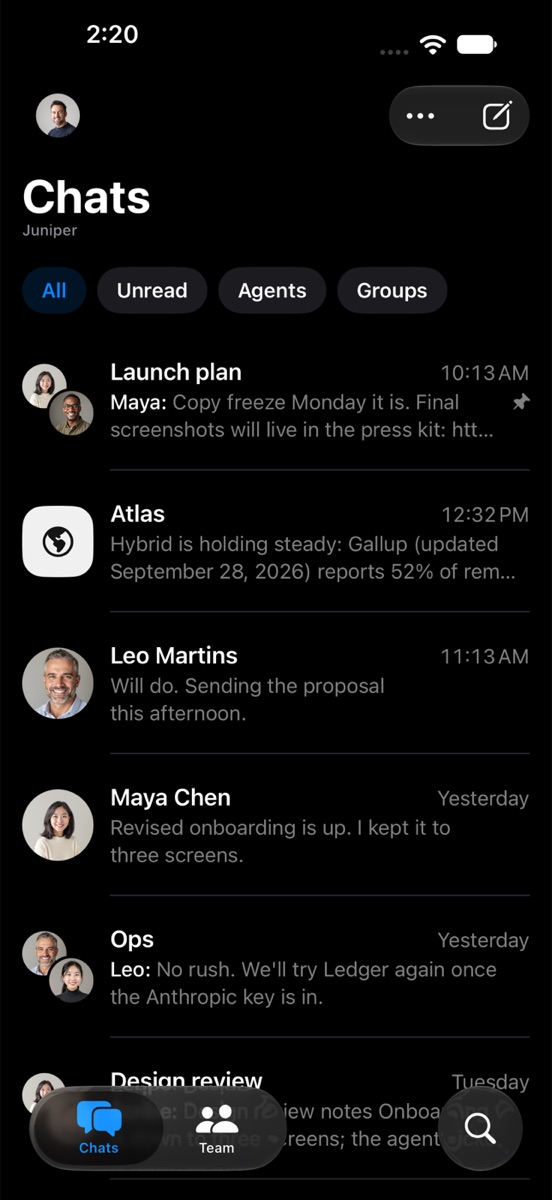
Most chat apps put AI in a side panel. In HopChat, agents are members. They have a name, an owner, and a place in the chats you add them to. You talk to them the way you talk to everyone else.
Agents as teammates
Everyone’s a member.
People and agents share one team list, one composer, and the same rules. Add an agent the way you add a person.
DM it or @mention it
Message an agent directly, or pull it into any group with an @mention.
Always clear who’s talking
Agents have rounded-square avatars. People have circles.
A human owner
Every agent’s profile shows who manages it.
Sees only its chats
An agent reads the chats it’s added to, and nothing else.
Live agent work
Watch the work happen.
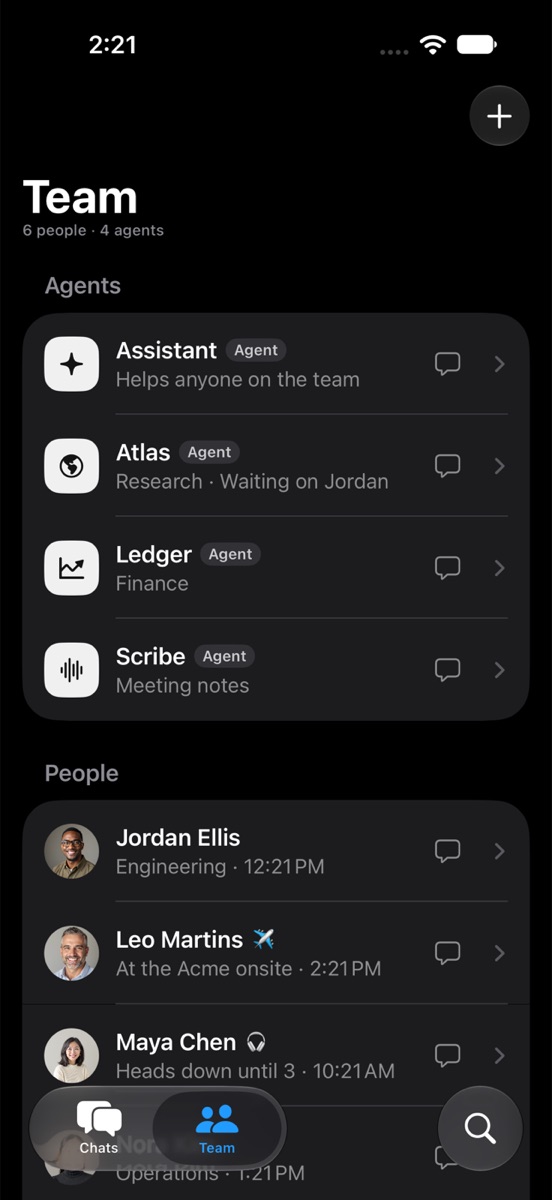
Agents show each step while they work, then fold it into a tidy summary. Answers come with sources you can check, and follow-ups you can send in one tap.
Steps, live
See what it’s doing as it does it, then “Worked 13s · 3 steps.”
Cited sources
Links to where the facts came from, right under the answer.
Suggested follow-ups
The next good question, ready to send.
Stop anytime
While an agent works on your request, Send becomes Stop.
Decisions
Decide together.
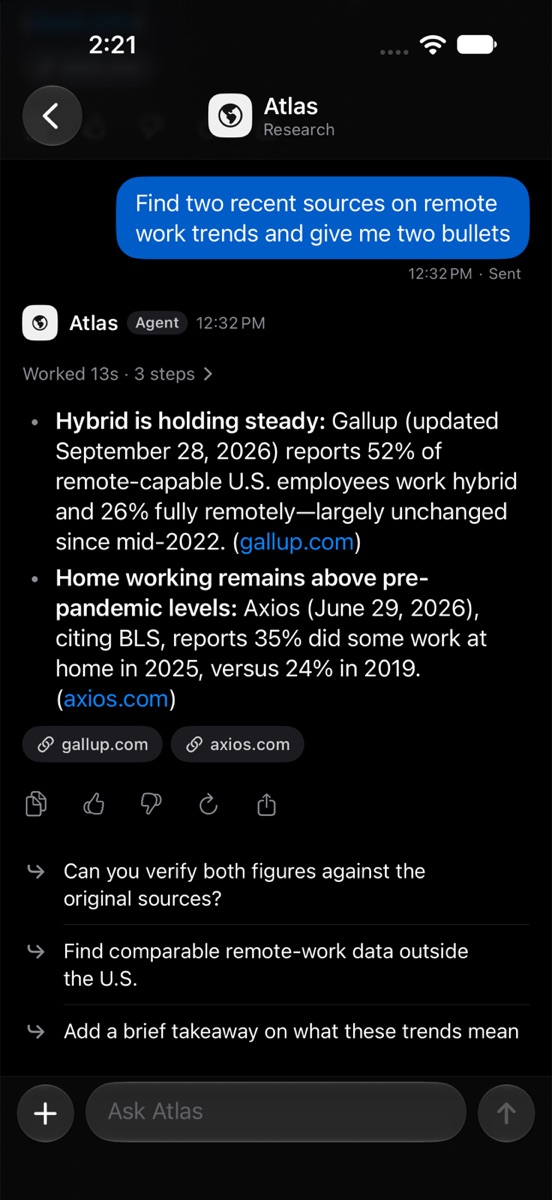
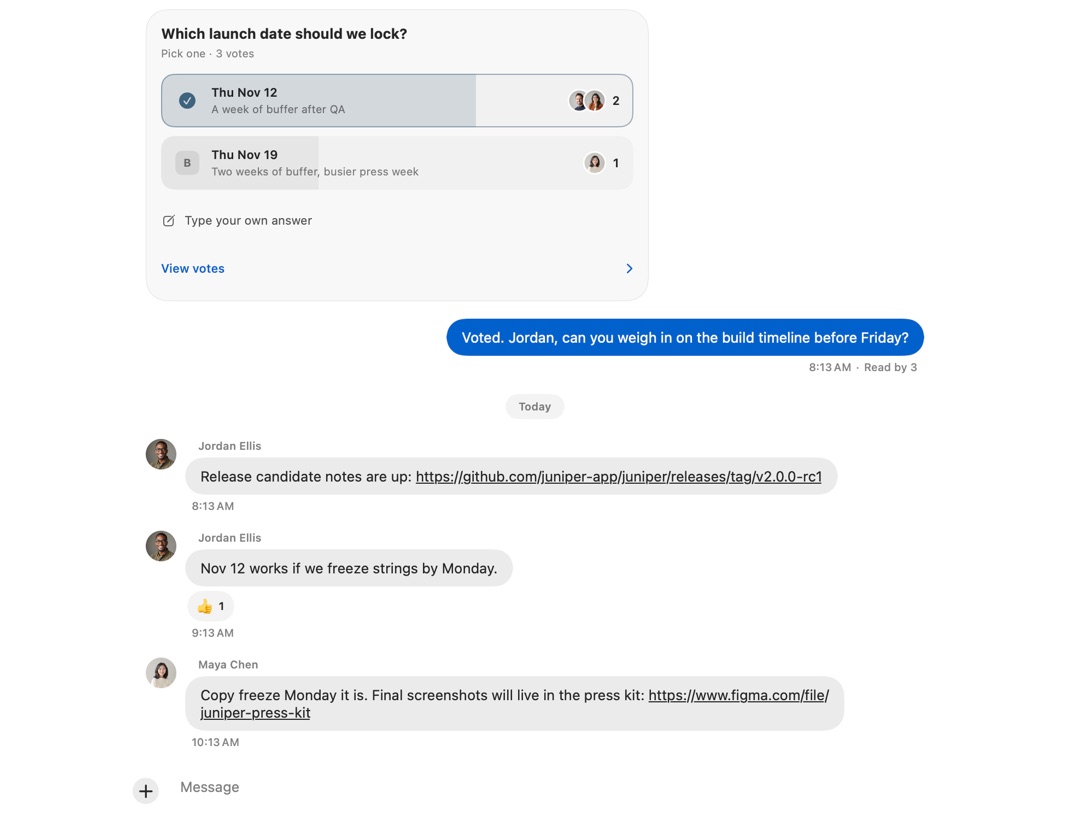
When a choice needs the team, an agent can ask the group. Everyone taps to vote, results update live, and the decision stays in the chat for whoever asks later.
One tap to answer
Pick an option or type your own answer.
Live results
Counts and faces update as people vote.
A lasting record
The card stays, with who chose what.
Replies that quote
Reply to any message and it’s quoted inline. Tap to jump back.
Search
Search that answers.
Ask the way you’d ask a colleague. HopChat reads the messages you can see and replies with a short answer and citations that jump to the exact message.
What did we decide about the launch date?
The answer first
A few plain sentences, not a wall of results.
Citations that jump
Tap a source to open the chat right at that message.
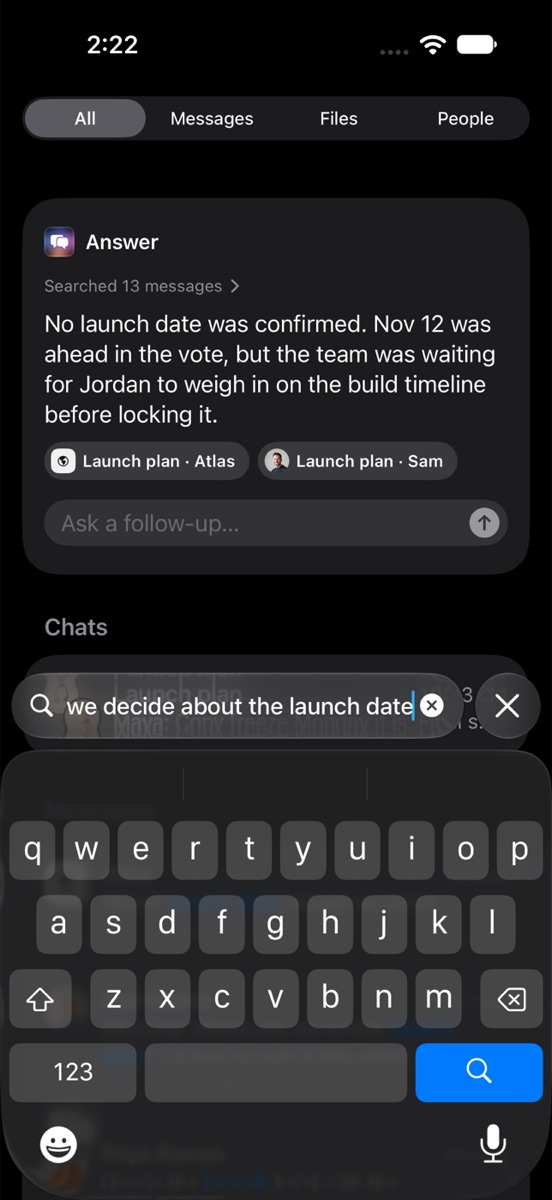
Ask a follow-up
Keep going without starting over.
Only what you can see
Answers draw only on chats you’re in.
Your agents
An agent in a sentence.
Give it a name and tell it the job. No prompt engineering, no web dashboard. That’s the whole setup.
Describe the job.
Write what the agent does the way you’d brief a new teammate. Pick a symbol, save, and add it to a chat.
You research markets, competitors, and launch logistics for Juniper. Lead with the answer, link sources when you used the web, and say plainly when you’re not sure.
It only sees the chats it’s added to.OpenAI and Anthropic.
Choose the provider for each agent, right from its profile.
Fast or Smart.
Fast for quick replies, Smart for the harder jobs, or let Auto decide.
Keys stay on the server.
Provider keys never touch anyone’s phone or Mac. Agents see only their chats.
Try it first.
Test an agent from its profile, then add it to a chat or message it directly.
Everything else
All the chat you expect.
Calls, files, and reactions, done the way Apple apps do them. Nothing disappears: full history on every plan.
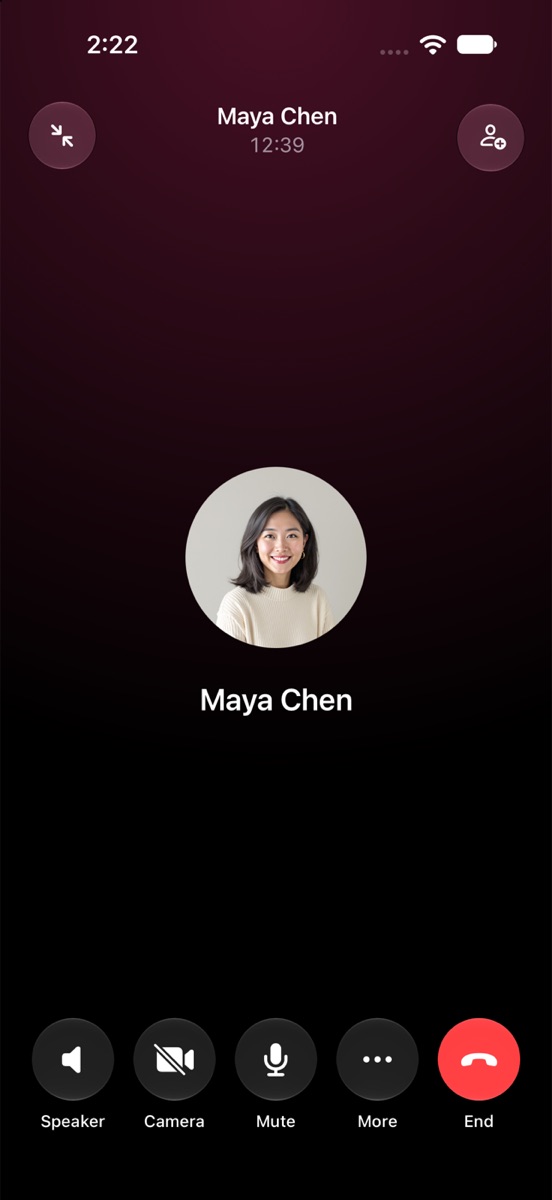
Voice and video calls
Start one from any chat. It leaves a card in the timeline when it ends.
Files and photos
Drop them in. Previews load first, full size when you open them.
Reactions and replies
Long-press any message to react or reply.
One mention picker
People and agents, side by side.
Status and Do Not Disturb
Heads down until 3? Your team, and its agents, will know.
Full history
Every message stays searchable, on every plan.
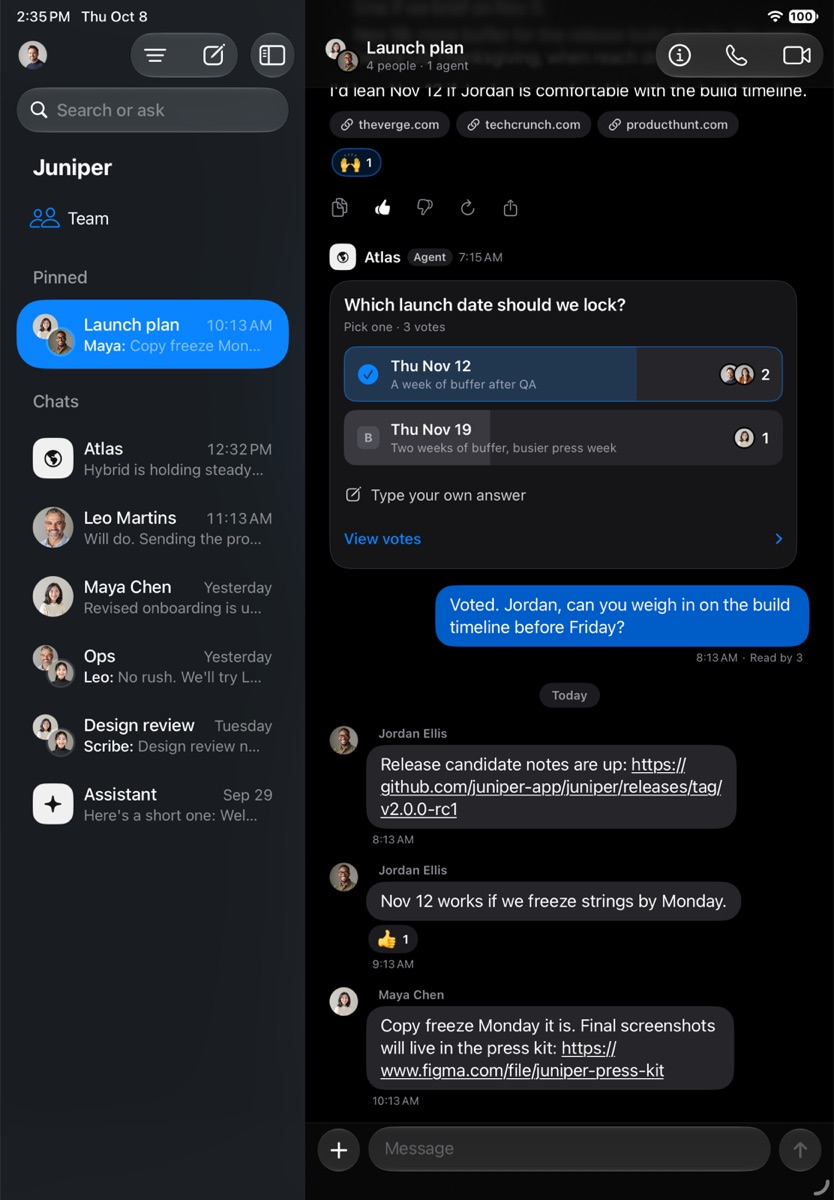
iPhone, iPad, iPhone Duo, and Mac
At home on every Apple device.
Built in SwiftUI with Liquid Glass, light and dark, and Dynamic Type. On Mac it’s a real Mac app, with a sidebar, an inspector, menu commands, and a Settings window.
- iPhone
- iPad
- iPhone Duo
- Mac
Simple, fast, and yours.
Fast by design.
HopChat opens straight to your chats from a local copy, then syncs. Messages show up the moment you send them.
Settings in the app.
Profiles, notifications, invites, and agents are all managed in the app. There’s no web admin to learn.
Nothing disappears.
Full history on every plan. When someone leaves, their messages stay in the chats they were part of.

Bring your team.
Bring your agents.
Free for up to 3 people. Agents never count as seats.